
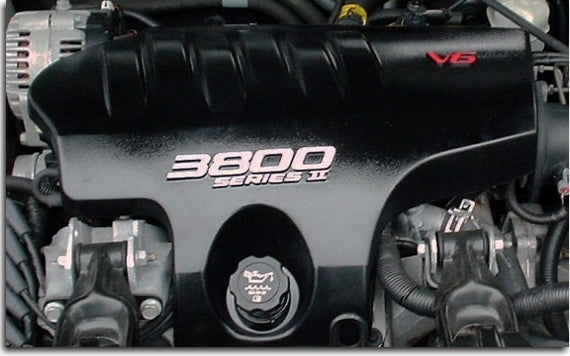
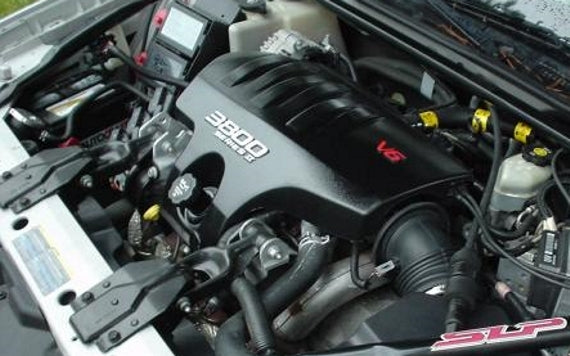
Show off your Series II power-plant with these unique engine cover overlays! The high-quality, computer cut decals are designed to cover the "3800 Series II" and "V6" on the engine cover.
- Be sure to select a color for each section.
Application:
2000-2005 Chevrolet Impala (NON supercharged engines only)
Product Installation Instructions
General suggestions for the installation:
1. We recommend washing the entire car first. Next, clean the application areas (badges, indents, etc…) with rubbing alcohol several times to remove any other oil or dirt. Q-Tips help with cleaning out crevices. Be sure there is no alcohol or water on the badge during the decal application.
2. For best results, work in a relatively warm, dry area and allow the working surface to change to the room temperature before application. It's recommended to work in 50 ° F or warmer) temperatures.
3. Before peeling off the backing, check the positioning.
4. When applying, work from top to bottom or left to right, holding the unapplied material away from the surface. Most colors (except Black and Lemon Yellow) will stretch a bit if absolutely necessary.
5. After Application, be sure to press the labels down firmly to ensure no air bubbles get trapped and to make sure the adhesive sticks. It's critical that you rub down the whole decal firmly to activate the adhesive and let the decal sit for at least 15 minutes before removing the mask (if it has one).
6. Try to let the adhesive set for 24 hours before washing the car again after decal application.
Product-specific recommendations:
3800 Series II (L36) Engine Cover Overlays
• It is ABSOLUTELY ESSENTIAL that you thoroughly clean the engine cover stripes and lettering with rubbing alcohol prior to installation. We recommend lightly sanding the surface of the letters with 600 grit sanding paper, and then cleaning with alcohol. The paint used on the engine cover is extremely “slick” and this makes the initial installation difficult. Sanding removes the “slickness”.
• The decals are provided in 3 sections to ease installation and are sandwiched between the mask (clear cover) and the backing. Carefully peel away the backing. Line the decal up over the engine cover by looking through the mask. Be careful not to let the decal touch the cover until you are ready to apply.
• For the “3800”, I found it easiest to line it up using the right edge of the 8 and the left edge of the first 0 together.
• For the “SERIES II” or “SERIES III” use the first letter as a reference. Once that letter is lined up, lightly tack it down, and line up the next. Keep repeating until finished. Always use the letters as reference before tacking down. Be sure to push hard on each letter's edge, especially the “III”.
• Use the right edge of the V and the left edge of the 6 to help center and line up that decal.